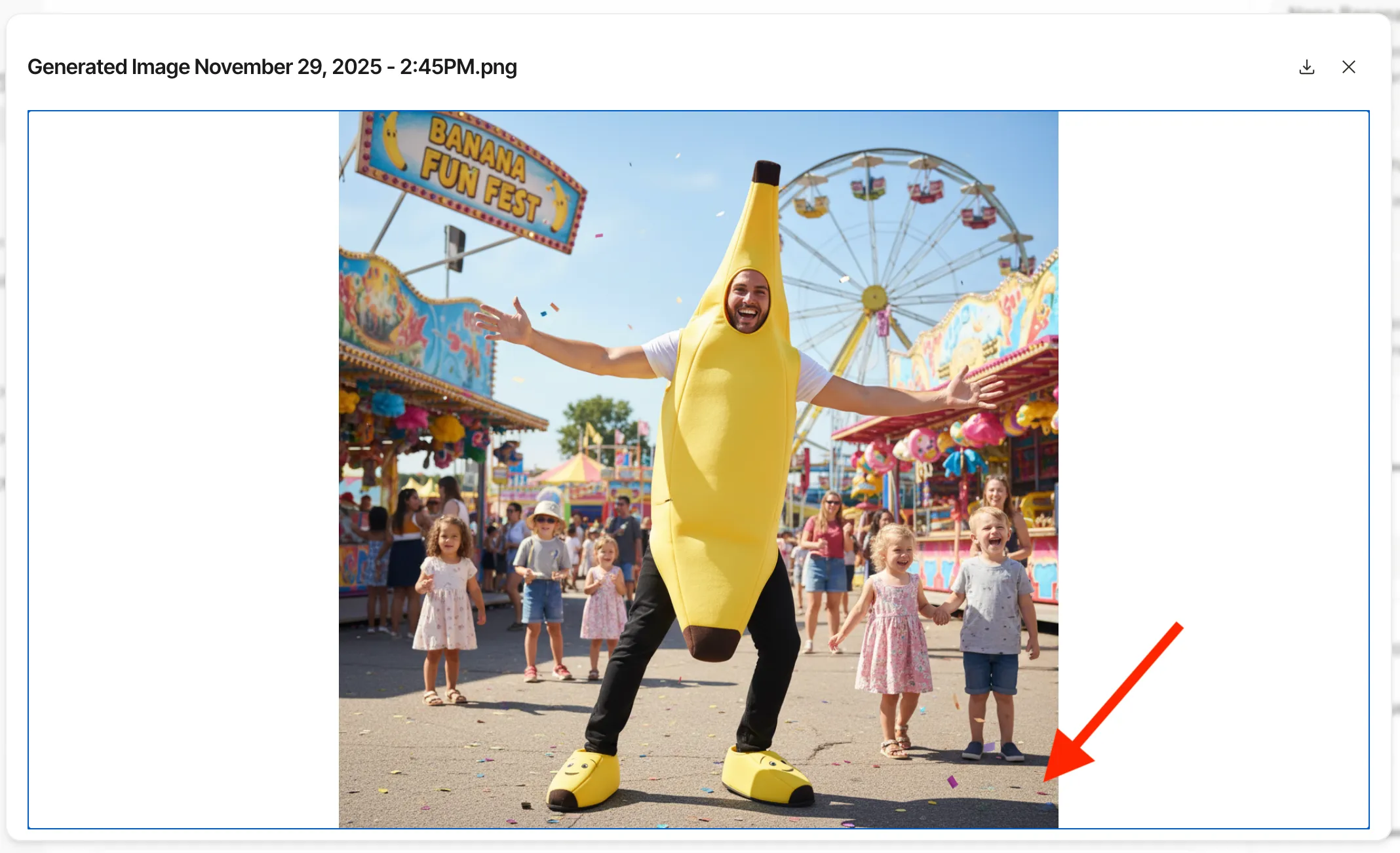

How to remove the Nano Banana watermark star
Please use this information ethically and responsibly. Note that removing visible watermarks does not remove embedded metadata or technologies like SynthID, AI provenance is maintained for transparency reasons.
Step 1
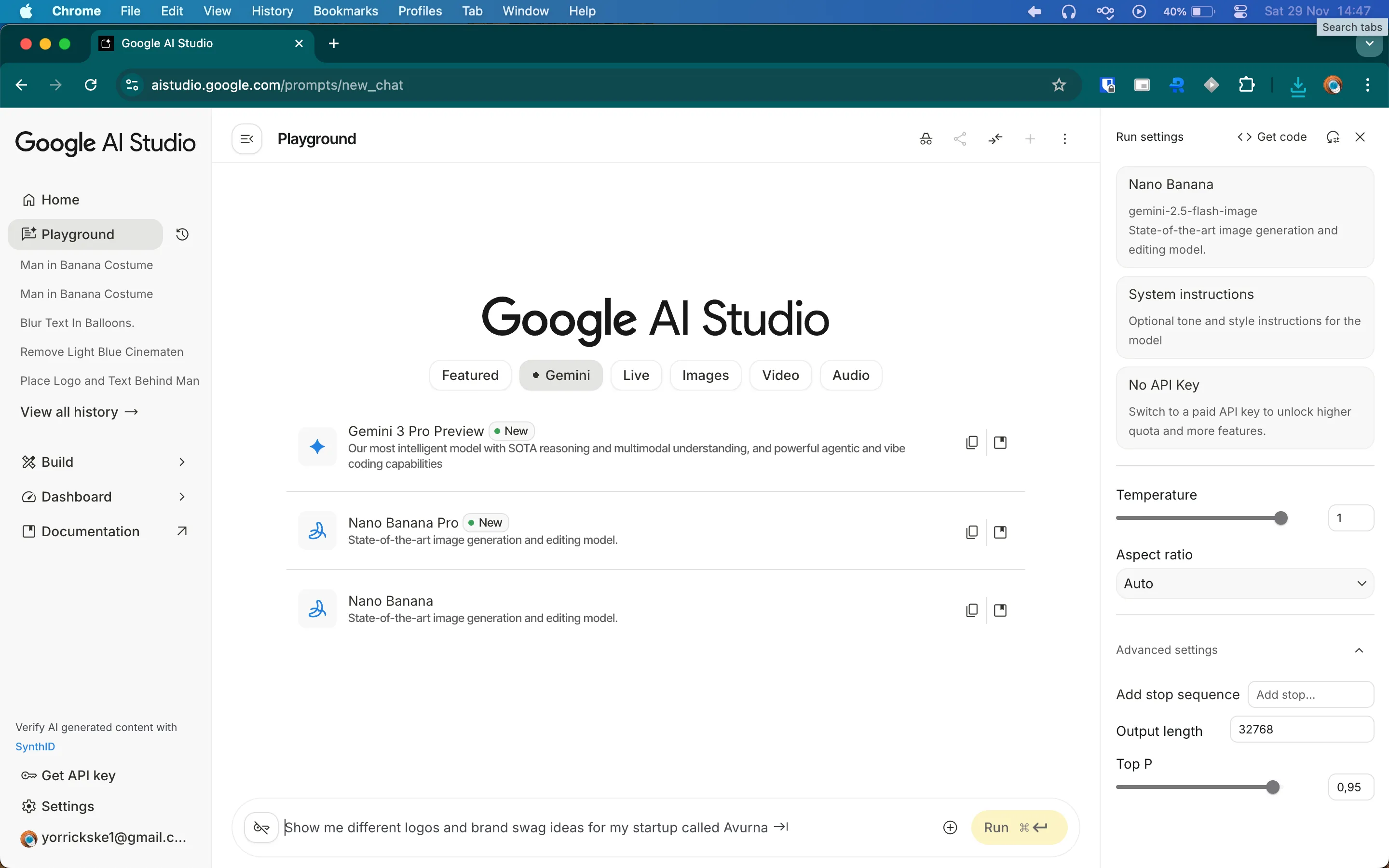
Go to aistudio.google.com and login using a google account.
Step 2
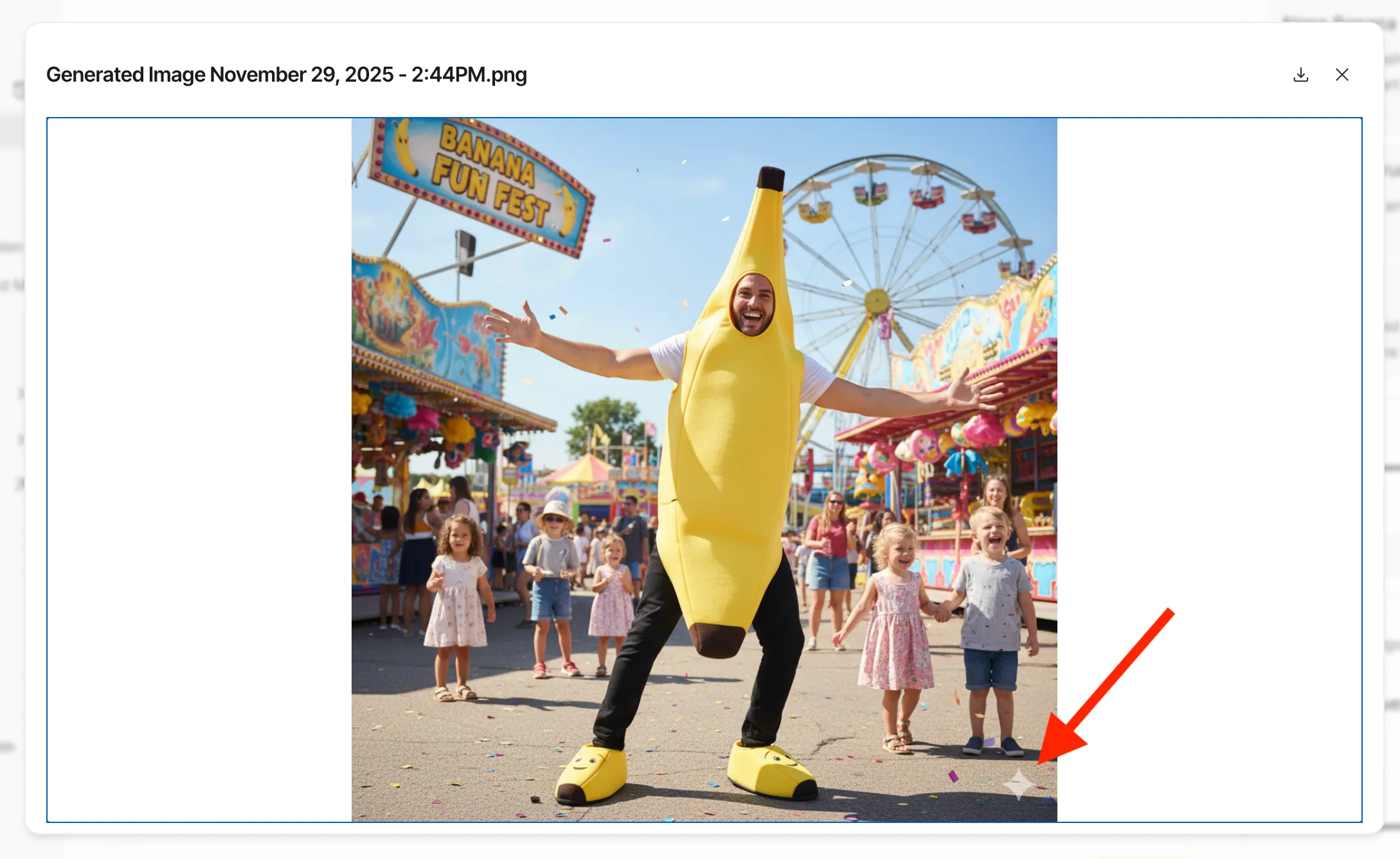
Generate an image using Nano Banana. This is our BEFORE example. As you can see there is a little white star watermark in the corner. You could now download that image and use Photoshop te try and remove it. Or you can be smart and just continue this tutorial!
To use the PRO version you have to have a Google Cloud Project with Billing enabled. But the normal version is still free off charge and has no generation limits.
Step 3
Go to Requestly.com. There you can choose to install it as an extension on Chrome or install it systemwide.
Step 4
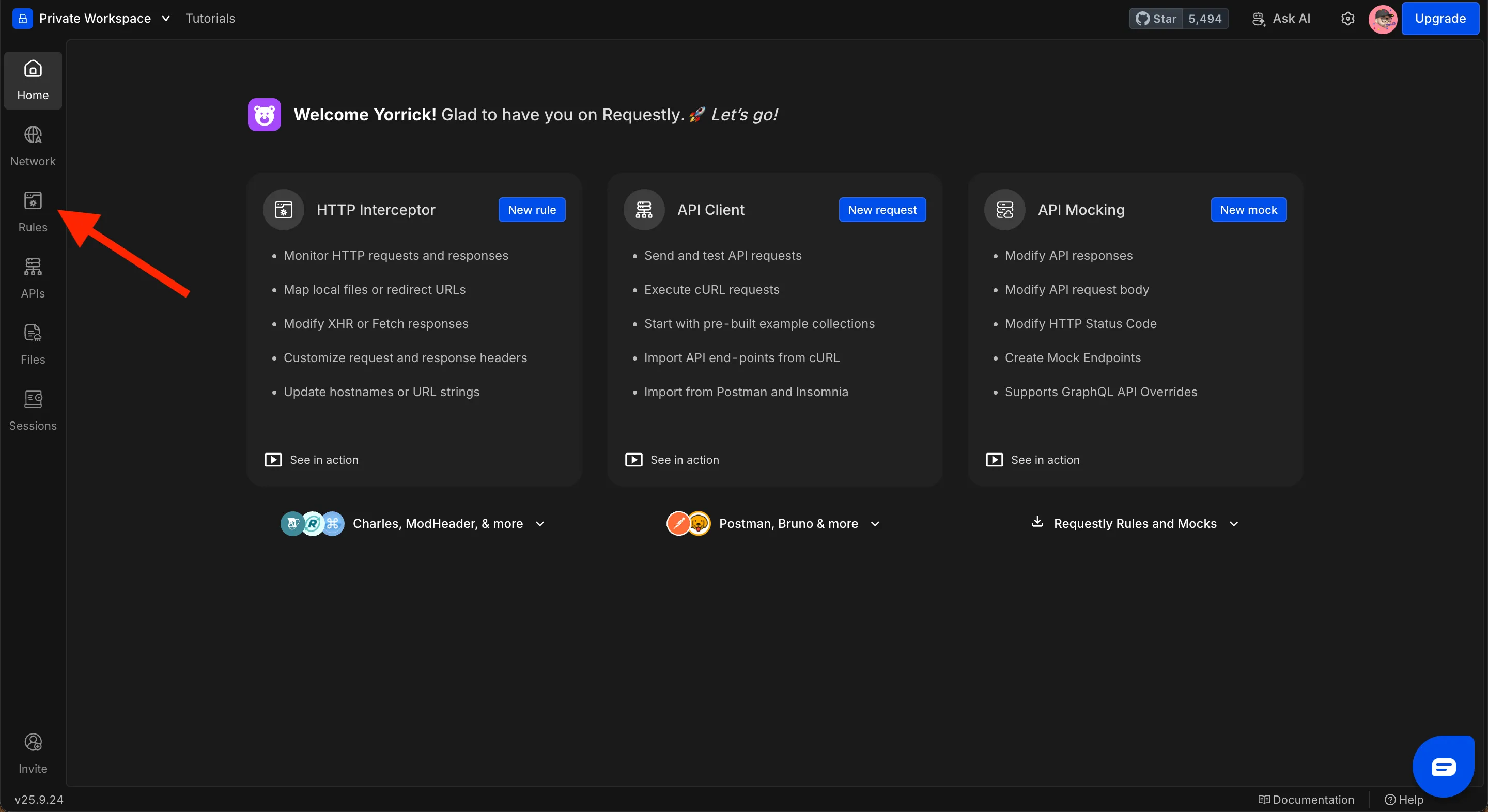
When installed, open the Requestly dashboard. There click the Rules tab.
Step 5
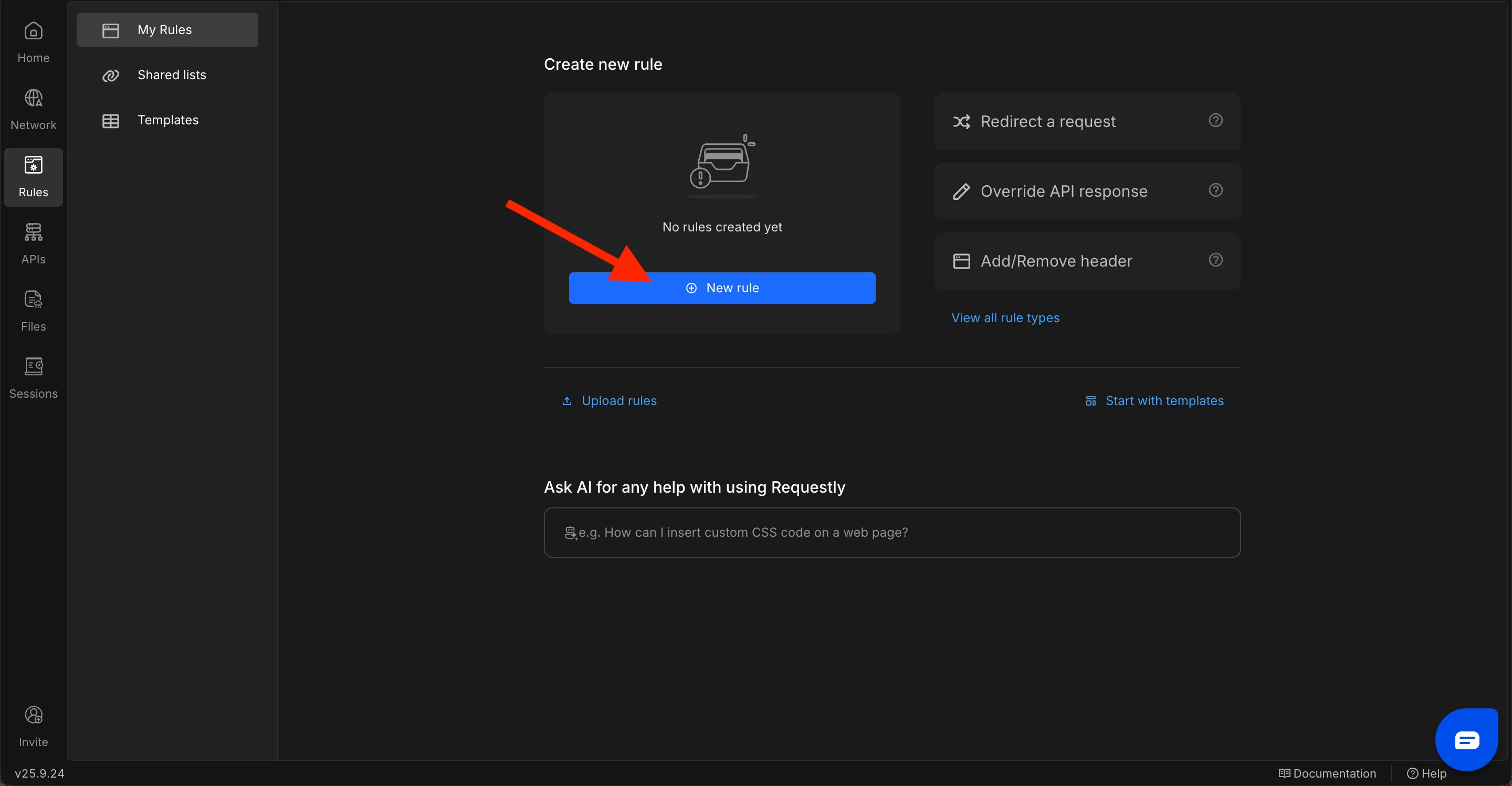
Let’s add a New Rule.
Step 6
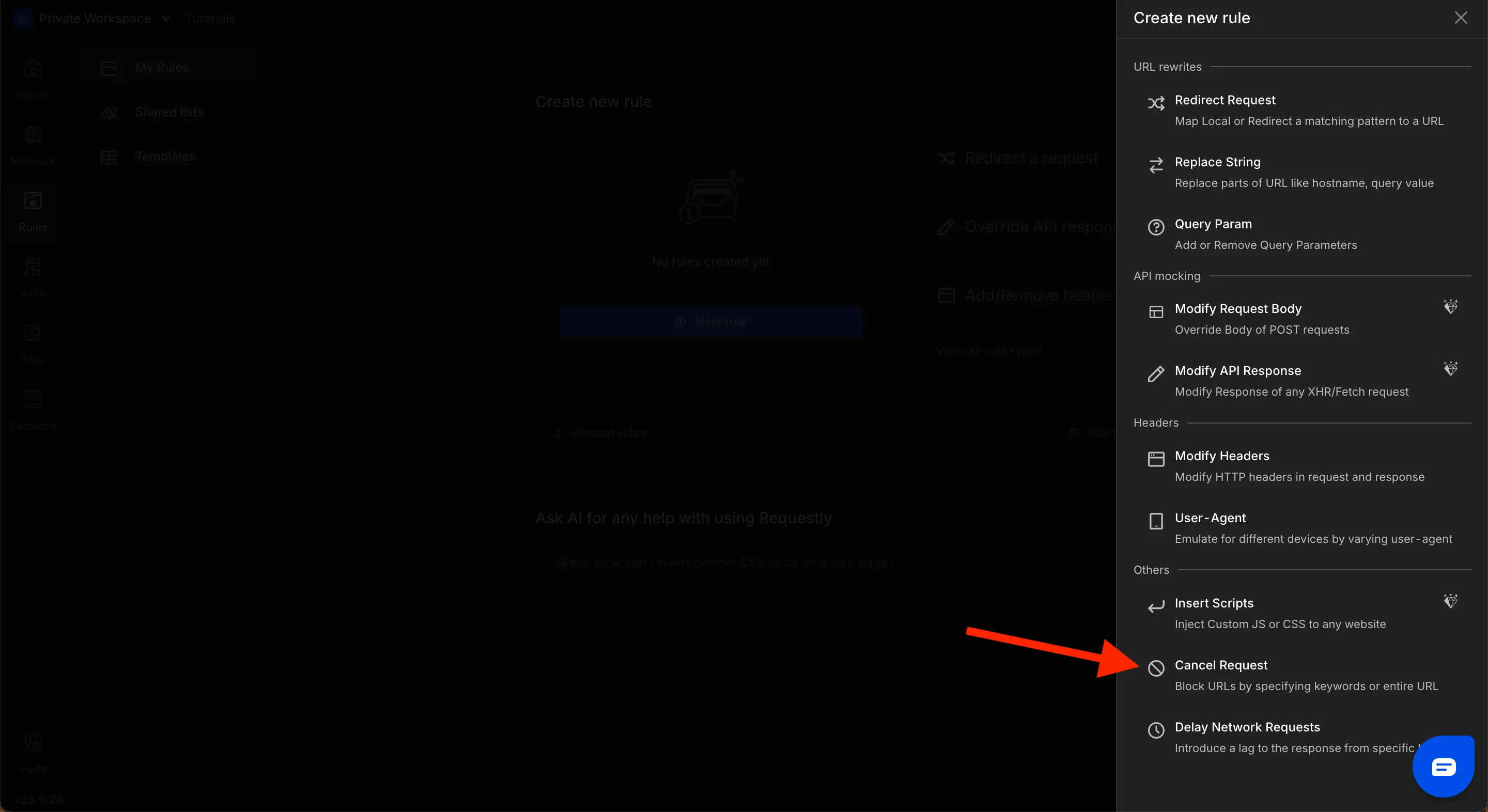
Add a Cancel Request rule.
Step 7
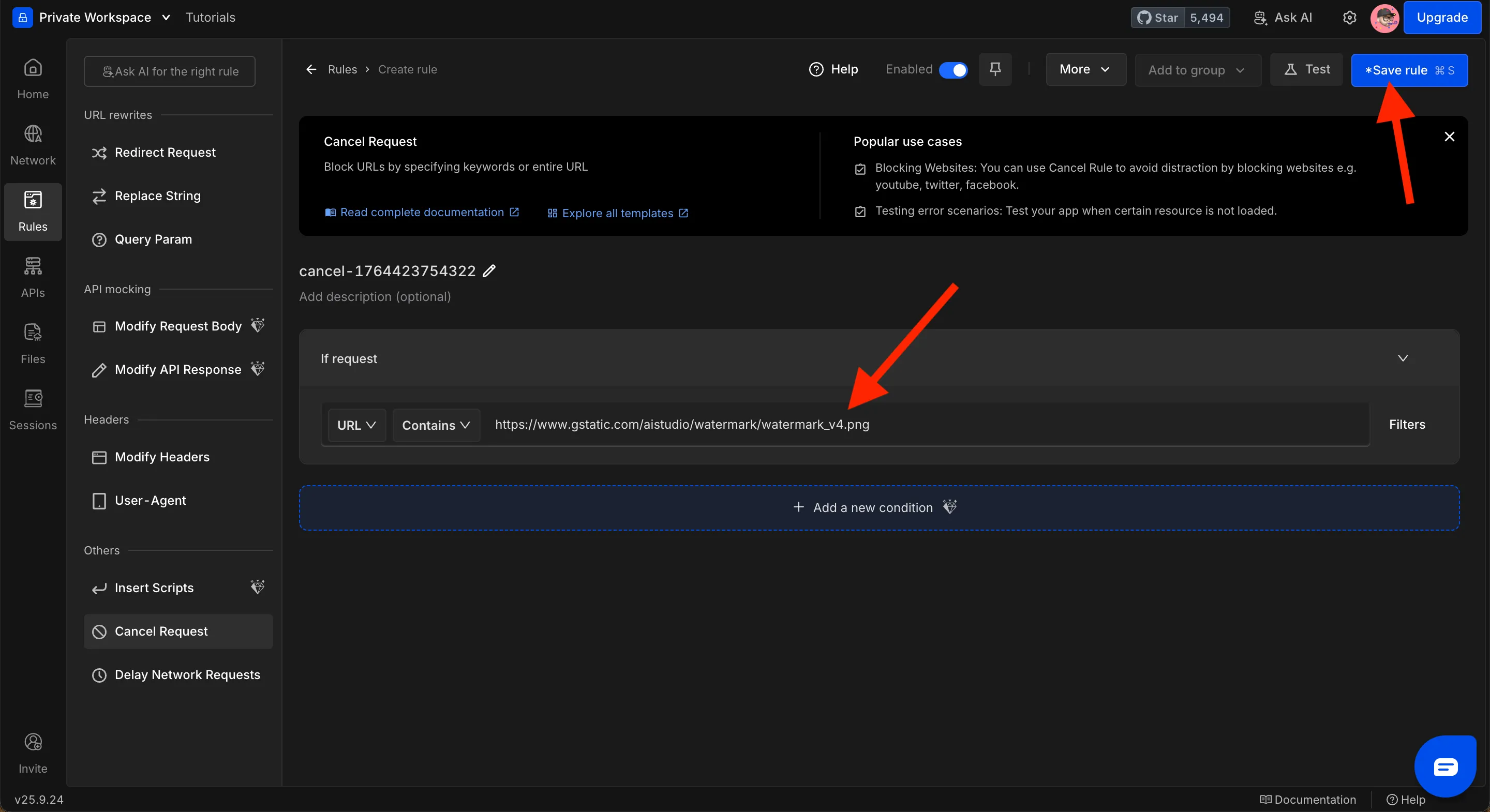
Here fill in the url: https://www.gstatic.com/aistudio/watermark/watermark_v4.png
Then click Save Rule.
Step 8
And that’s it! You’re done.
Restart your browser and go have a look at the previously generated image. As you can see the little white star is now gone.